Top Posts
How Companies Can Manage Remote Teams More Efficiently
All-in-One Tools vs Specialized Tools for Remote Work
Best HR & Payroll Tools for Companies with...
Remote Work Mistakes That Are Costing You Time...
How Companies Can Manage Remote Teams More Efficiently
How to Build the Perfect Remote Work Setup...
The Ultimate Guide To Working Remotely More Efficiently...
25 Tools That Make Working Remotely Easier (Tested...
Best Accounting and Invoicing Tools for Remote Workers...
3 Morning Habits of Highly Productive Remote Workers
Working Remotely Tools
  • Home
  • Tools
  • Blog
  • About Us
  • Digital Products
    • Entrepreneur Affirmations Calendar
  • Contact Us
Smallpdf
BrandingBusiness EfficiencyCollaboration & CommunicationFile ManagementFree ToolsMarketing ContentProductivity & WorkflowProfessional WritingProject & Task ManagementProject & Task ManagementProject & Task ManagementRemote Work MasteringTools

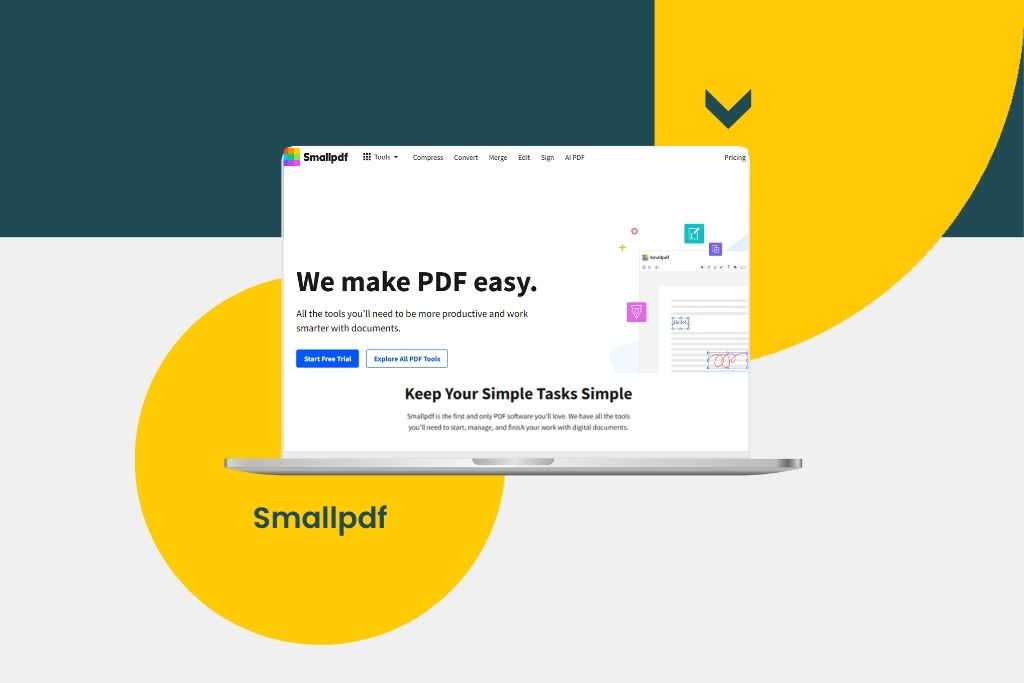
Smallpdf: The All-in-One PDF Solution for Busy Professionals

by Celine Reaidy November 14, 2024
written by Celine Reaidy

Working with PDFs has become an integral part of day-to-day operations for businesses and individuals alike. However, managing, editing, and converting PDFs can often be time-consuming without the right tools. Smallpdf offers an efficient, all-in-one solution that allows users to handle PDFs with ease, from simple conversions to complex edits. Let’s take a closer look at why Smallpdf has become a go-to platform for millions of users worldwide.

What is Smallpdf?

Smallpdf is an online tool designed to simplify working with PDF files. With a wide array of features, it allows users to convert, compress, edit, and sign PDFs without needing extensive software or technical knowledge. Smallpdf’s browser-based platform is intuitive, user-friendly, and accessible from any device, making it an ideal solution for busy professionals looking to streamline their PDF workflows.

Key Features of Smallpdf
  1. PDF Conversion

    Smallpdf supports a wide range of conversion options, including PDF to Word, Excel, PowerPoint, and JPG—and vice versa. This flexibility allows users to make PDFs editable, extract data into spreadsheets, or transform presentations seamlessly, eliminating the hassle of manual data entry.

  2. Compress PDFs

    Large PDF files can be a challenge to share or store. Smallpdf’s compression tool reduces file sizes without compromising quality, making it easier to email and share documents. This is particularly useful for professionals who need to send documents quickly or store files efficiently.

  3. Edit PDFs

    With Smallpdf, you can make edits directly on your PDF files, whether it’s adding text, shapes, annotations, or even merging and rearranging pages. This is especially helpful for documents that require last-minute adjustments before sharing.

  4. eSignatures

    Smallpdf’s e-signing feature allows users to sign documents digitally, a critical tool for remote workers and businesses moving toward paperless operations. You can add your signature, request signatures from others, and track the signing process all within the platform.

  5. Secure PDFs

    Data security is a priority for Smallpdf. You can use the platform to encrypt sensitive PDFs with a password, protecting confidential information. Additionally, Smallpdf provides options to unlock PDFs that may be password-protected, provided you have the necessary permissions.

Payment Policies

Smallpdf offers both free and premium subscription options. While the free version includes many basic functions, premium users gain access to unlimited conversions, advanced editing tools, and priority support. The paid plans are available on a monthly or yearly basis, allowing users to choose the option that best fits their needs. Smallpdf’s flexible subscription management makes it easy to upgrade, downgrade, or cancel at any time.

Why Choose Smallpdf?

Smallpdf is an invaluable tool for professionals looking for an efficient, reliable PDF solution. Its user-friendly design, robust feature set, and high-quality outputs make it stand out in a crowded market. Whether you’re a freelancer needing a quick PDF editor or a business managing a high volume of documents, Smallpdf provides the convenience and flexibility you need.


In conclusion, Smallpdf simplifies PDF management with its all-in-one platform, helping users save time and increase productivity. With a wide range of features and flexible payment options, Smallpdf caters to the needs of individuals and businesses alike.

Ready to streamline your workflows? Head over to Working Remotely Tools to learn more about similar tools and discover how it can support your professional needs.

0 comments
0 FacebookTwitterPinterestEmail
Flipsnack
ArticlesBusiness EfficiencyFree ToolsGetting Started GuidesProfessional WritingProject & Task ManagementRemote Work Mastering

Flipsnack: The Ultimate Tool for Creating Interactive Flipbooks

by Celine Reaidy November 13, 2024
written by Celine Reaidy

In the ever-evolving digital age, presenting content in a visually appealing and interactive way is crucial for businesses and individuals alike. Whether you’re designing an engaging brochure, a captivating magazine, or an interactive eBook, Flipsnack offers an innovative solution for creating professional, interactive flipbooks with ease.

What is Flipsnack?

Flipsnack is a powerful online tool that allows users to create, publish, and share flipbooks. Its user-friendly interface enables anyone, regardless of design experience, to transform PDFs or design content from scratch into engaging digital flipbooks. With its robust features, Flipsnack is perfect for marketers, publishers, and even small businesses looking to create digital publications that stand out.

Key Features
  1. Easy PDF: Conversion One of Flipsnack’s standout features is the ability to convert your existing PDFs into interactive flipbooks. This means you can take any static PDF and bring it to life with a few clicks. Hence, you can create a digital experience that mimics the real feel of flipping through pages.
  2. Customizable Templates: Not sure where to start? Flipsnack offers a wide range of customizable templates for magazines, brochures, catalogs, portfolios, and more. These templates allow you to create professional-looking content quickly, with options to adjust fonts, colors, images, and layout to fit your brand.
  3. Interactive Elements: Flipsnack goes beyond static content. You can embed videos, links, and interactive buttons into your flipbooks, making them dynamic and engaging for readers. This feature is especially useful for marketers looking to drive traffic, engage customers, or offer a more immersive reading experience.
  4. Collaboration Tools: Flipsnack is designed with teams in mind. It offers collaboration features that allow multiple users to work on a project together. This is ideal for businesses where design, marketing, and content teams need to collaborate seamlessly on a single project.
  5. Analytics and Tracking: For businesses, knowing how your content is performing is key. Flipsnack provides detailed analytics, allowing you to track how many people are viewing your flipbook, how long they stay on specific pages, and where they click. These insights can help you optimize your content strategy and better understand your audience’s behavior.
Payment Policies

Flipsnack offers several subscription plans to suit different needs, including monthly and yearly options. Payments are straightforward and can be managed directly through the platform. Subscribers can upgrade, downgrade, or cancel their plan anytime from their account settings, providing flexibility and control over their subscription.

Why Choose Flipsnack for Your Business?

Flipsnack is not only a tool for creative professionals but also a valuable resource for businesses aiming to enhance their digital marketing efforts. With its SEO-friendly features, you can optimize your flipbooks for search engines, ensuring your content is discoverable. Additionally, the platform supports social media integration, enabling you to share your flipbooks across multiple channels effortlessly.

In a nutshell, in a world where grabbing attention is more challenging than ever, Flipsnack provides the perfect solution for creating visually appealing, interactive content. Whether you’re crafting a portfolio, creating digital magazines, or sharing a company report, Flipsnack makes the process smooth and efficient.

Ready to create stunning digital flipbooks? Visit Working Remotely Tools to discover how remote tools can be game-changers for your business.

0 comments
0 FacebookTwitterPinterestEmail
security in remote work
ArticlesTech, Tools & Security

Top 4 Cybersecurity Practices for Remote Workers

by Noha Khalife November 11, 2024
written by Noha Khalife

Cybersecurity has never been more critical as the remote work revolution grows. With employees working from home, cyber threats like weak passwords and unsecured networks have become prime targets for hackers. This blog post will cover essential cybersecurity best practices that every remote worker should know.

Let’s dive into how you can stay protected while working remotely!

1. The Importance of Cybersecurity in Remote Work

cybersecurity-practices-remote-workers-working-remotely-tools

As remote work reshapes business operations, it brings flexibility and new cybersecurity challenges. Unlike traditional office setups with controlled, secure networks, remote workers often use personal devices and unsecured networks, making them prime targets for cyberattacks.

Remote workers face increased risks such as data breaches, malware, and phishing attacks. Cybercriminals know that home offices often lack strong security protocols. In fact, since the rise of remote work, cyberattacks targeting remote employees have surged.

Hackers exploit weak spots like:

  • Personal devices with outdated security
  • Unsecured home or public Wi-Fi networks
  • Lack of company-enforced cybersecurity protocols

For companies, a single cyberattack can lead to financial loss, damaged reputation, legal consequences, and major operational disruptions. This is why strong cybersecurity practices are critical, not just for IT teams, but for every employee working remotely.

Key strategies for remote workers:

  1. Use VPNs to encrypt your internet connection.
  2. Create strong passwords and change them regularly.
  3. Enable two-factor authentication for added protection.
  4. Stay informed with regular security training and updates.

2. Virtual Private Networks (VPN): Why Remote Workers Need Them

cybersecurity-practices-remote-workers-working-remotely-tools

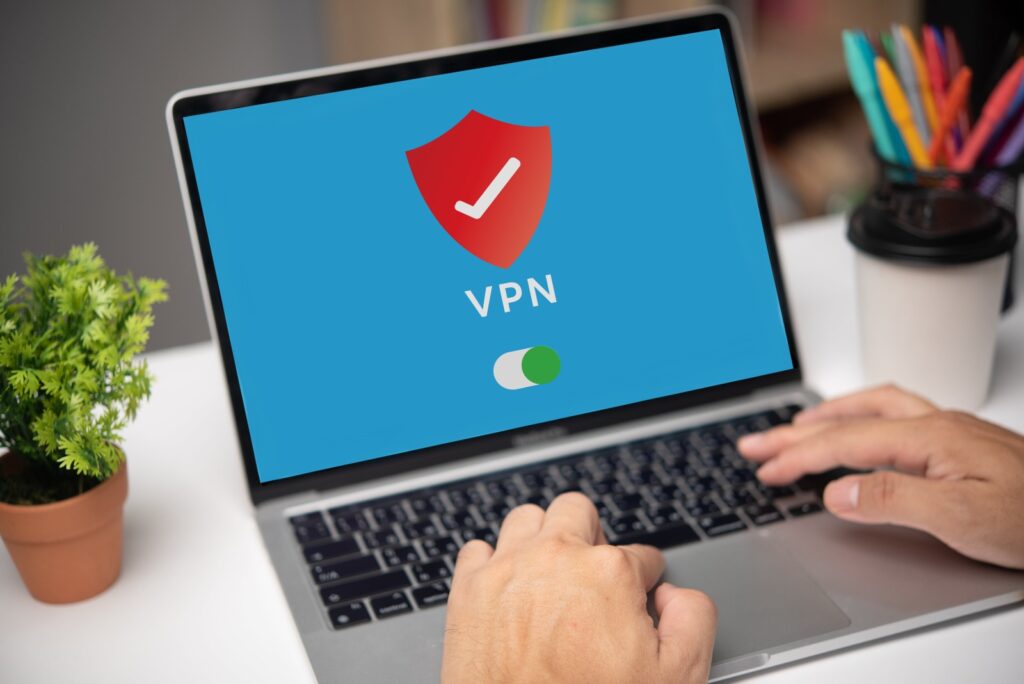
A Virtual Private Network (VPN) is an essential tool for remote workers to stay secure while online. When working from home or in public spaces like cafes or airports, employees often use unsecured Wi-Fi networks, which can be a gateway for cyberattacks.
networks, which can be a gateway for cyberattacks.

Here’s why using a VPN is crucial:

  • Secure, encrypted connection: VPNs create a protected “tunnel” between your device and the internet, keeping third parties from intercepting your data.
  • Mask your IP address: A VPN hides your location and online activity, making it harder for cybercriminals to track you.
  • Safe access to company systems: VPNs allow remote workers to connect securely to company files and internal systems as if they were working on-site.
  • Protection on public Wi-Fi: Without a VPN, hackers can easily launch attacks, intercepting sensitive information like login credentials and confidential files.

Many companies now require VPNs for remote employees to ensure data security, prevent breaches, and comply with regulations in industries like healthcare and finance. Whether working from home or while traveling, using a VPN is a simple yet powerful way to stay protected.

3. Protecting Against Phishing and Social Engineering Attacks

cybersecurity-practices-remote-workers-working-remotely-tools

Phishing and social engineering attacks are among the most dangerous cyber threats, especially for remote workers who heavily rely on digital communication. These attacks aim to trick individuals into giving away sensitive information like passwords, credit card numbers, or confidential company data—often through emails or messages that appear to be from trusted sources.

For remote workers, the lack of in-person IT oversight can make phishing scams more effective. These attacks often play on urgency, fear, or curiosity, leading victims to click on malicious links or share sensitive data.

What to watch for:

  • Unsolicited emails/messages: Be cautious with unexpected emails. Don’t click links or download attachments unless you’ve verified the sender.
  • Email addresses and URLs: Look for small differences, like extra letters or misspellings, in addresses or URLs.
  • Urgent or threatening messages: Phishing emails often use scare tactics, claiming immediate action is needed. Always verify with the source.
  • Use email filters: Take advantage of built-in phishing detection tools to block suspicious emails.

Social engineering goes further, using human psychology to trick remote workers into bypassing security protocols. Hackers may impersonate managers or colleagues, asking for passwords or access to systems.

How to protect yourself:

  • Stay skeptical and verify requests.
  • Get regular training on phishing and social engineering tactics.
  • Always double-check unexpected requests for sensitive information.

By staying vigilant and following these simple practices, remote workers can reduce their risk of falling for phishing or social engineering attacks.

4. Backing Up Data: Protecting Your Files from Loss and Attacks

cybersecurity-practices-remote-workers-working-remotely-tools

For remote workers, losing important files due to a cyberattack, hardware failure, or accidental deletion can be disastrous. Regular data backups are essential to safeguard against data loss and protect from ransomware attacks, where criminals lock your files and demand payment for access.

Data loss can happen for various reasons, including system crashes, malware, or physical damage to devices. Since remote workers may not have immediate access to IT support, taking proactive steps to back up data is critical.

Key steps to protect your data:

  • Use Cloud Storage: Services like Google Drive, Dropbox, or OneDrive provide secure, remote access to files and ensure data is safe even if your device fails. 
  • Local Backups: Keep physical copies of your data on external hard drives or USBs for extra security. 
  • Automate Backups: Set up automatic backups to ensure regular, hassle-free protection of your files.
  • Versioning & Redundancy: Choose backup services that offer versioning (access to previous file versions) and maintain multiple backup copies for added security.

5. Conclusion

In conclusion, remote workers face unique cybersecurity challenges that require vigilance and the implementation of best practices. By prioritizing cybersecurity measures such as using VPNs, protecting against phishing attacks, and regularly backing up data, remote workers can create a secure environment that protects their personal information and the company’s assets.

Further reads 

For more info, contact us.

0 comments
0 FacebookTwitterPinterestEmail
remote work key tools
ArticlesConquering Remote Work ChallengesRemote Work Revolution

Having Trouble Working with Your Remote Team? Try These Tools to Stay Connected!

by Angela Nehme October 15, 2024
written by Angela Nehme

As remote work becomes the custom for many businesses today, teams are facing new challenges in staying connected, productive, and efficient. Embracing Asynchronous Communication is essential in a world where technologies are constantly evolving.

But then, the lack of face-to-face interaction often leads to communication breakdowns, missed deadlines, and reduced collaboration, which can significantly impact overall performance. In fact, studies show that ineffective communication is responsible for 86% of workplace failures, a problem that’s even more pronounced in remote settings.

Even as students we often struggle to keep track of the various courses and assignments, and we end up feeling overwhelmed with the workload and lost in our documents, therefore missing out on the opportunity of excelling in our studies.

So, to tackle these effective team communication problems, the right tools can make all the difference. In this article, we’ll explore the best virtual collaboration tools, from platforms to key applicable tips, to help your team overcome these hurdles and work seamlessly from anywhere.

Here are the top 7 keys that open doors to a prosperous work-from-home journey:

Continue reading
0 comments
0 FacebookTwitterPinterestEmail
Cybersecurity, securing remote work
Uncategorized

The Ultimate Guide to Cybersecurity Tools for Securing Remote Work

by Angela Nehme April 13, 2024
written by Angela Nehme

Securing Remote Work: The Ultimate Guide to Cybersecurity Tools for Enhanced Protection

As the landscape of work evolves, remote work has become increasingly common. The proliferation of remote work has brought about unprecedented opportunities for flexibility and productivity.

However, it has also introduced significant cybersecurity challenges. With
employees accessing sensitive company data from various locations and devices, securing remote work environments has become paramount for businesses.

I- The Challenges of Cybersecurity in Remote Work

  • Endpoint Security: With employees accessing company networks from various devices and locations, endpoint security becomes paramount. Vulnerabilities in endpoints, such as laptops and smartphones can serve as entry points for cyber-attacks.
  • Data Protection: Working remotely often involves the transmission and storage of sensitive data outside the traditional corporate perimeter. Therefore ensuring data protection and compliance with some regulations becomes challenging.
  • Phishing and Social Engineering:  Remote workers may be more susceptible to phishing attacks and social engineering tactics, especially when operating outside the secure confines of the office network.
  • Secure Remote Access: Providing secure remote access to corporate resources without compromising security is a significant challenge. Implementing strong authentication mechanisms and encryption protocols is essential.

II- The Solutions for Remote Work Cybersecurity:

·        Virtual Private Networks VPN: VPNs provide a secure tunnel for remote workers to access company networks. Which means they help protect data in transit and ensure privacy and confidentiality.

§ A VPN encrypts internet traffic, ensuring secure communication between remote devices and the company network.

§ It masks users’ IP addresses, making it difficult for hackers to track their online activities.

§ Look for VPN solutions that offer strong encryption protocols, multi-factor authentication, and a no-log policy to maximize security.

·        Endpoint Protection Software: Endpoint protection solutions offer threat detection and prevention on remote devices, so features like antivirus, firewall, and intrusion detection help safeguard endpoints from malware and other cyber threats.

§ Endpoint protection software defends individual devices (laptops, smartphones, etc.) from malware, ransomware, and other cyber threats.

§ Features may include real-time scanning, firewall protection, and behavior-based detection to identify suspicious activities.

§      Choose solutions that provide centralized management and automatic updates to ensure all devices are consistently protected.

·        Multi-Factor Authentication (MFA): MFA adds an extra layer of security by requiring users to provide multiple forms of verification to access accounts. Effectively, this helps mitigate the risk of unauthorized access, even if passwords are compromised.

§ MFA adds an extra layer of security by requiring users to provide multiple forms of verification to access accounts.

§ Implement MFA for critical systems and applications to mitigate the risk of unauthorized access, even if passwords are compromised.

§      Consider using biometric authentication, such as fingerprint or facial recognition, for enhanced security.

·        Security Awareness Training: Educating remote workers about cybersecurity best practices is crucial. Ultimately, regular training sessions on topics such as phishing awareness, password hygiene, and safe browsing habits can help prevent security breaches.

§  Letting employees know about cybersecurity best practices is crucial for preventing breaches.

§  Provide regular training sessions covering topics like phishing awareness, password hygiene, and safe internet browsing habits.

§  Push employees to report any suspicious emails or activities promptly.

·  Secure Cloud Storage:

§ Cloud storage services offer convenient access to files from anywhere, but security is paramount.

§      Opt for reputable cloud storage providers that offer end-to-end encryption, data loss prevention, and robust access controls.

§       Encourage employees to use strong passwords and enable two-factor authentication for added security. 

·        Secure Video Conferencing Tools:

§ With the rise of remote meetings, it’s essential to choose video
conferencing tools with strong security features.

§ Look for platforms that offer end-to-end encryption, password protection
for meetings, and features like waiting rooms to control access.

§ Inform employees on best practices for secure video conferencing, such as
avoiding public Wi-Fi networks and updating software regularly.

cybersecurity & securing remote work data

III- Best Practices for Cybersecurity in Remote Work:

·      Establish Clear Policies: Develop and communicate clear remote work security policies outlining acceptable use of company resources, data handling procedures, and security protocols.

·      Regular Software Updates: Ensure that all remote devices, applications, and systems are regularly updated with the latest security patches and updates to mitigate vulnerabilities.

·      Secure Wi-Fi Connections: Encourage remote workers to use secure Wi-Fi networks or VPNs when accessing company resources from public or unsecured networks.

·      Data Encryption: Implement encryption for data at rest and in transit to protect sensitive information from unauthorized access.

·      Monitor and Audit: Apply monitoring and auditing tools to track remote access activities, detect anomalies, and respond to security incidents promptly.

Conclusion

Cybersecurity in remote work environments presents complex challenges that require active measures and comprehensive solutions.

By these aspects of cybersecurity tools, and understanding the challenges and adhering to best practices, organizations can effectively minimize the risk of cyber threats and enhance their remote work security

With these measures in place, businesses can embrace remote work confidently while prioritizing cybersecurity.

Take the next step to enhance your remote work security, and implement these strategies today to protect your remote workforce. Thank you for prioritizing cybersecurity! 

Ready to dive deeper into the world of remote work? Explore our library of insightful articles for expert tools, strategies, and tips. Start reading more articles on the blog now and unlock the full potential of remote work.

Interesting reads:

Remote Work Security : Safeguarding Data and Privacy in Virtual Workspaces.

Remote Work Challenges: Strategies for Overcoming Common Obstacles

What are remote work cybersecurity tools?

Remote work cybersecurity tools are software and solutions designed to protect the security and privacy of data and communications in remote work environments. They include VPNs, endpoint protection software, secure collaboration tools, and encryption software, among others.

Why are remote work cybersecurity tools important?

Remote work cybersecurity tools are essential for safeguarding sensitive data and preventing security breaches in distributed work environments. They help mitigate the risks associated with remote access, such as unauthorized access, data breaches, and cyber attacks.

What features should I look for in endpoint protection software for remote work?

When choosing endpoint protection software for remote work, look for features such as real-time scanning, firewall protection, behavior-based detection, remote device management, automatic updates, and support for multiple devices and operating systems.

What are the risks of using unsecured public Wi-Fi for remote work?

Using unsecured public Wi-Fi for remote work poses risks such as data interception, man-in-the-middle attacks, unauthorized access to sensitive information, and malware infection. Hackers can eavesdrop on communications and steal confidential data transmitted over unsecured networks.

0 comments
0 FacebookTwitterPinterestEmail
Remote Work Salaries: Ensuring Fair Pay for Employees
ArticlesConquering Remote Work ChallengesRemote Work Revolution

Remote Work Salaries: Ensuring Fair Pay for Employees

by Lea Kanaan February 28, 2024
written by Lea Kanaan

Welcome to our guide on remote work salaries: a critical aspect of modern work culture. In today’s dynamic landscape, fair and transparent compensation practices are paramount to fostering employee satisfaction and organizational success. Join us as we delve into the intricacies of remote work salaries, exploring key strategies to ensure fairness and equity in compensation for remote employees. Whether you’re a remote worker seeking clarity on pay structures or an organization striving to enhance your compensation practices, this guide will provide valuable insights to help you navigate the evolving world of remote work salaries.

I. Challenges in Ensuring Fair Remote Work Pay

Navigating fair remote work pay presents a multifaceted challenge stemming from various factors. One primary obstacle lies in the absence of standardized pay structures tailored for remote positions, unlike the more defined scales often found in traditional office settings. This discrepancy introduces complexities, making it difficult to establish consistent pay frameworks across diverse roles and industries in the remote landscape. Furthermore, the potential for pay disparities across different remote roles poses another challenge, where responsibilities, skill requirements, and market demand vary widely, leading to discrepancies in compensation that may not always align with the true value of the work performed. Moreover, the impact of remote work on traditional salary benchmarks further complicates matters, as the shift blurs geographical boundaries and redefines job markets, rendering traditional benchmarks potentially obsolete. Thus, addressing these challenges necessitates innovative approaches to ensure fair and competitive pay rates for remote employees while acknowledging the unique dynamics of remote work environments.

II. Strategies for Ensuring Fair Remote Work Pay

Strategies to get paid fairly by working remotely encompass a multifaceted approach aimed at establishing equitable compensation practices in remote work settings. Key among these strategies is the implementation of transparent pay policies, providing clear guidelines on how remote pay structures are determined. By fostering transparency, organizations can enhance trust and understanding among remote employees regarding factors influencing their compensation. Additionally, conducting regular pay equity audits enables organizations to identify and rectify any disparities or inequities in remote work pay, ensuring fairness across different roles and demographics. Linking pay increases to performance further reinforces fairness, aligning compensation with individual contributions and achievements. By adopting these strategies, organizations can create a supportive and equitable remote work environment, fostering employee satisfaction and organizational success in the evolving landscape of remote work.

III. Performance Evaluation and Remote Work Pay

The performance evaluation intertwine closely in the fabric of remote work dynamics, presenting both opportunities and challenges in equitable compensation practices. Establishing clear performance metrics tailored to remote employees is essential, as it aligns expectations and goals with compensation outcomes. By defining tangible metrics such as project outcomes, client satisfaction scores, and productivity levels, organizations can effectively evaluate remote workers’ performance and link it to their pay. Furthermore, linking pay increases and bonuses to remote work performance incentivizes high performance and reinforces the connection between individual contributions and compensation. However, challenges such as evaluating remote work productivity amidst communication barriers and the need for effective performance measurement tools arise. Organizations must address these challenges by implementing remote-friendly performance evaluation methods and providing necessary support to remote employees, ensuring that performance evaluations accurately reflect remote work contributions and drive fair compensation practices.

FAQ

How are remote work salaries typically determined?

Remote work salaries are determined based on factors such as job responsibilities, industry standards, geographic location, level of experience, and the company’s budget and compensation policies.

Are remote work salaries usually lower than in-office salaries?

Remote work salaries can vary depending on various factors, but they are not necessarily lower than in-office salaries. Remote workers may receive competitive compensation packages that reflect their skills, experience, and the cost of living in their location.

Do remote workers receive benefits like healthcare and retirement plans?

Many remote workers receive benefits such as healthcare, retirement plans, paid time off, and other perks, similar to in-office employees. The specific benefits offered may vary depending on the employer and the terms of employment.

How do performance evaluations work for remote employees?

Performance evaluations for remote employees typically involve setting clear objectives, regular check-ins, and assessments of work quality and productivity. Managers may use various tools and communication channels to evaluate remote employees’ performance effectively.

Can remote workers negotiate their salaries?

Yes, remote workers can negotiate their salaries just like in-office employees. It’s essential for remote workers to research industry standards, assess their skills and experience, and effectively communicate their value to potential employers during salary negotiations.

Are there differences in compensation for remote workers based on their location?

Yes, compensation for remote workers may vary based on their geographic location and cost of living. Employers may adjust salaries to account for regional differences in housing costs, taxes, and other factors that impact the cost of living.

What are some common challenges in ensuring fair pay for remote employees?

Common challenges include establishing transparent pay policies, conducting regular pay equity audits, addressing disparities in compensation across roles and demographics, and linking pay increases to remote work performance effectively.

How can employers ensure fair and equitable compensation for remote workers?

Employers can ensure fair and equitable compensation by implementing transparent pay policies, conducting regular pay equity audits, providing opportunities for salary negotiation, and linking pay increases to performance outcomes.

What role do performance metrics play in determining remote work salaries?

Performance metrics help employers evaluate remote workers’ productivity, quality of work, and contributions to the organization’s goals. Performance-based pay structures may tie salary increases, bonuses, or incentives to employees’ performance metrics.

How do remote work salaries compare across industries and job roles?

Remote work salaries can vary significantly across industries and job roles based on demand, skill requirements, and market conditions. High-demand fields such as technology and healthcare may offer more competitive salaries for remote positions compared to other industries.

In conclusion, fair and transparent remote work salaries are essential for fostering trust and ensuring employee satisfaction in the modern workplace. By implementing transparent pay policies, conducting regular audits, and linking pay to performance, organizations can create a more equitable environment for their remote workforce. At Working Remotely Tools, we’re dedicated to supporting your journey toward fair compensation and empowering you with the resources you need to thrive in remote work. Contact us today to learn more about how we can help you navigate the complexities of remote work salaries and maximize your professional potential.

0 comments
0 FacebookTwitterPinterestEmail
10-Essential-Tips-Balancing-Work-and-Life-While-Working-Remotely
ArticlesRemote Work LifestyleWork-Life Balance

10 Essential Tips: Balancing Work and Life While Working Remotely

by Lea Eid February 3, 2024
written by Lea Eid

In the modern landscape, remote work has become more prevalent than ever, offering flexibility and convenience. However, with this flexibility comes the challenge of balancing work and life while working remotely. Finding equilibrium between professional responsibilities and personal well-being is crucial for long-term success and happiness. In this blog, we’ll explore ten essential tips for achieving and maintaining balance while working remote.

Establish a dedicated Workspace

Create a designated area in your home solely for work purposes. This helps mentally separate your professional and personal life, enhancing focus during work hours and allowing you to ‘leave’ work at the end of the day.

Define Clear Boundaries

Set clear boundaries with yourself and others regarding work hours and availability. Communicate your schedule to family members or housemates to minimize interruptions during designated work times.

Stick to a Routine

Maintain a consistent daily routine that includes set working hours, breaks, and time for personal activities. A structured schedule enhances productivity and prevents work from encroaching into leisure time.

Prioritize Tasks

Identify and prioritize your most important tasks each day. Utilize productivity techniques such as the Eisenhower Matrix or time blocking to efficiently manage your workload and avoid feeling overwhelmed.

Take Regular Breaks

Schedule short breaks throughout your workday to recharge and prevent burnout. Engage in activities that promote relaxation and mental clarity, such as stretching, going for a walk, or practicing mindfulness.

Embrace Flexibility

One of the perks of remote work is flexibility. Take advantage of this by adjusting your schedule to accommodate personal commitments or unexpected events. Flexibility fosters a healthier work-life balance and reduces stress.

Limit Multitasking

While multitasking may seem efficient, it often leads to decreased productivity and increased stress levels. Focus on one task at a time, dedicating your full attention to each before moving on to the next.

Communicate Effectively

Maintain open and transparent communication with your colleagues and supervisors. Clearly communicate your availability, progress on tasks, and any challenges you may be facing. Effective communication fosters collaboration and prevents misunderstandings.

Set Realistic Expectations

Be realistic about what you can accomplish within a given timeframe. Avoid overcommitting yourself or taking on more than you can handle. Setting realistic expectations helps manage stress and prevents feelings of inadequacy.

Prioritize Self-Care

Make self-care a priority by prioritizing activities that promote physical, mental, and emotional well-being. Exercise regularly, get an adequate amount of sleep, and engage in hobbies or activities that bring you joy and fulfillment outside of work.

FAQ

How can I maintain boundaries between work and personal life when working remotely?

Establishing clear boundaries starts with creating a dedicated workspace in your home and defining set working hours. Communicate your schedule to family members or housemates, and designate specific times for work-related activities. When your workday ends, physically and mentally disconnect from work by closing your workspace and engaging in non-work-related activities.

How do I deal with feelings of isolation or loneliness when working remotely?

Combat feelings of isolation by proactively seeking opportunities for social interaction and connection. Schedule virtual coffee breaks or team meetings to maintain regular communication with colleagues. Join online communities or professional networks related to your field to foster connections and exchange ideas. Additionally, consider participating in virtual events or workshops to expand your network and combat feelings of isolation.

How can I prevent burnout and maintain my mental health while working remotely?

Prioritize self-care by incorporating activities that promote physical, mental, and emotional well-being into your routine. Schedule regular breaks, exercise regularly, and practice mindfulness or meditation to reduce stress and promote relaxation. Set boundaries around work hours and disconnect from technology during non-work times to prevent burnout. Seek support from friends, family, or mental health professionals if you experience persistent feelings of stress or burnout.

Balancing work and life while working remotely is a continuous journey that requires intentionality and self-awareness. By implementing these ten tips into your daily routine, you can cultivate a harmonious balance between your professional and personal life, leading to greater satisfaction and overall well-being in the remote work environment.


0 comments
0 FacebookTwitterPinterestEmail
remote work communication
Articles

Remote Work Communication: Navigating Collaboration in a Distributed Environment

by Noha Khalife January 17, 2024
written by Noha Khalife

The work landscape has dramatically transformed in recent years with remote work becoming increasingly prevalent. The advent of technology has allowed teams to collaborate across geographical boundaries, ushering in an era of flexibility and adaptability. This blog post delves into the intricacies of remote work communication, recognizing its pivotal role in sustaining and enhancing the efficiency of distributed teams.

I. Challenges of Remote Communication

Challenges of remote communication

Remote communication introduces a unique set of challenges that teams must navigate for effective collaboration. These challenges include:

Absence of Non-Verbal Cues

Without face-to-face interactions, crucial non-verbal cues are often lost, leading to potential misunderstandings.

Asynchronous Communication Delays

With team members operating in different time zones, asynchronous communication can delay responses and decision-making.

Time Zone Management

Coordinating across various time zones requires strategic planning to ensure everyone is on the same page.

Cultural Nuances

Cultural differences can impact communication styles, potentially leading to misunderstandings.

Proactive Strategies for Clarity

Remote teams need proactive strategies to ensure clarity and understanding

Technological Challenges

Technical glitches can disrupt communication flow

Addressing these challenges head-on is essential for fostering a communicative environment in remote teams. Understanding these hurdles is the first step toward effective collaboration in a distributed work setting.

II. Establishing Clear Communication Protocols

remote work communication protocols

In the realm of remote work, establishing clear communication protocols is pivotal for fostering effective collaboration. Here’s a breakdown:

Expectations for Responsiveness

Clearly define expectations regarding response times for emails, messages, and collaborative platforms.

Guidelines for Written Communication

Establish guidelines for written communication, emphasizing clarity, brevity, and the use of appropriate channels.

Norms for Virtual Meetings

Set norms for virtual meetings, covering aspects such as punctuality, video usage, and active participation.

Consistent Use of Collaboration Tools

Ensure consistent use of collaboration tools to centralize communication and document sharing.

Defined Communication Channels

Clearly define the purpose of various communication channels (e.g., email for formal communication, messaging for quick updates)

Transparency and Inclusivity

Promote transparency in communication to ensure everyone is informed, and foster inclusivity by encouraging all team members to voice their opinions.

Establishing these protocols provides a structured foundation for communication, reducing ambiguity, and enhancing the overall efficiency of remote teams.

III. Building a Strong Remote Team Culture

Team building in remote work

A cohesive team culture is the backbone of successful remote collaboration. Nurturing relationships in a virtual setting demands intentional efforts to foster a sense of unity and camaraderie. Here’s how you can actively cultivate a robust remote team culture:

Virtual Team-Building Activities
  • Engage in online team-building games or challenges to create a sense of shared experiences.
  • Host virtual coffee breaks or casual video chats to encourage informal interactions.
Regular Communication Beyond Work
  • Establish dedicated channels for non-work-related conversations, allowing team members to share hobbies, interests, and personal updates.
  • Implement a “virtual water cooler” concept where team members can freely discuss topics unrelated to work.
Open and Inclusive Communication
  • Foster an environment where team members feel comfortable expressing ideas and opinions without fear of judgment.
  • Actively encourage diverse voices by creating platforms for everyone to share insights during meetings or through collaborative tools.
Celebrating Milestones Remotely
  • Acknowledge achievements, both professional and personal, during virtual team meetings.
  • Implement virtual recognition programs or shout-outs to celebrate individual and team successes.
Incorporating Fun Rituals
  • Introduce fun rituals like virtual theme days or Friday quizzes to inject a sense of enjoyment into remote work.
  • Rotate responsibilities for leading team-building activities to involve everyone.

Building a strong remote team culture requires intentional actions, but the results—increased engagement, collaboration, and a positive team dynamic—contribute significantly to the success of remote collaboration.

Best collaboration tools

AgoraPulse
by Nour Kabbara September 28, 2022
Slack
by Nour Kabbara August 8, 2022
Google Workspace
by Admin July 17, 2022
Webex
by Admin July 17, 2022
Miro
by Admin May 20, 2022

IV. Choosing the Right Communication Tools

Remote Communication Tools

Selecting the appropriate communication tools is crucial for seamless remote collaboration.
Consider the following factors when choosing tools for your remote team:

Nature of Communication

Identify the types of communication your team engages in regularly. Whether it’s instant messaging, video conferencing, or collaborative document editing, choose tools that align with your team’s needs.

User-Friendly Interfaces

Opt for tools with user-friendly interfaces. Intuitive platforms reduce the learning curve for team members, ensuring widespread adoption.

Integration Capabilities

Look for tools that integrate seamlessly with your existing software and workflows. Integration enhances efficiency by reducing the need to switch between multiple applications.

Scalability

Choose tools that can scale with your team’s growth. Scalable solutions accommodate an expanding team and evolving communication needs.

Accessibility

Consider the accessibility of the tools. Opt for platforms that are accessible across various devices and operating systems to accommodate diverse work setups.

Collaborative Features

Evaluate collaborative features. Tools that facilitate real-time collaboration, file sharing, and version control enhance teamwork and productivity.

Best communication tools

GoTo
by Nour Kabbara August 9, 2022
TeamViewer
by Nour Kabbara August 6, 2022
Google Workspace
by Admin July 17, 2022
Webex
by Admin July 17, 2022
Trello
by Admin June 12, 2022
Google Meet
by Admin April 16, 2022

V. Encouraging Informal Communication

Fostering informal communication in a remote setting is essential for building strong team bonds.
Consider the following strategies to encourage casual interactions:

Virtual Coffee Breaks

Schedule virtual coffee breaks or informal chat sessions where team members can connect on a personal level. This replicates the casual conversations that naturally occur in physical offices.

Dedicated Slack Channels

Create Slack or other messaging platform channels dedicated to non-work-related topics. This allows team members to share hobbies, interests, or simply engage in lighthearted conversations.

Themed Virtual Events

Organize themed virtual events or activities, such as trivia nights or virtual happy hours. These events provide opportunities for team members to unwind and bond in a relaxed atmosphere.

Casual Fridays

Implement casual Fridays or a similar initiative where team members can dress casually and engage in more relaxed interactions. This contributes to a sense of camaraderie.

Virtual Team Challenges

Introduce fun and light-hearted team challenges. This could be anything from fitness challenges to online games, promoting teamwork and interaction.

FAQ

How can remote teams effectively communicate?

Remote teams can use a combination of communication tools, schedule regular check-ins, and establish clear communication protocols to enhance collaboration.

What are the challenges of remote communication?

Challenges include time zone differences, asynchronous communication, and the potential for misinterpretation due to the absence of non-verbal cues.

Read more here.

What are the advantages of using project management tools for remote collaboration?

Project management tools help in task organization, tracking progress, and maintaining transparency, enhancing overall efficiency in remote collaboration.

Are there specific strategies for managing communication in diverse global teams?

Managing global teams involves acknowledging time zone differences, understanding cultural nuances, and establishing flexible meeting schedules.

How can remote teams maintain a sense of connection and camaraderie?

Virtual team-building activities, regular video calls, and informal communication channels help foster a sense of connection among remote team members.

What role does asynchronous communication play in remote work?

Asynchronous communication allows team members to work at their own pace, but it requires clear documentation and a shared understanding of response times.

In what ways can remote communication contribute to increased productivity?

Efficient communication reduces delays, clarifies expectations, and ensures that team members are aligned, leading to overall increased productivity.

How do you ensure inclusivity in virtual meetings to accommodate diverse communication styles?

Ensuring inclusivity involves setting clear meeting guidelines, providing opportunities for input from all team members, and being mindful of different communication preferences.

Conclusion

Remote communication

Effective remote work communication is the linchpin for successful collaboration in a distributed environment. Overcoming challenges, embracing emerging trends, and fostering a strong team culture are vital components. As we navigate this dynamic landscape, adaptability, and a commitment to continuous improvement become key.

Remote work communication is not just about tools; it’s about building connections, fostering understanding, and creating an inclusive environment. By prioritizing these aspects, we lay the groundwork for thriving in the evolving world of remote work.

Further reads: Remote Work Lifestyle: Balancing Work and Personal Life for a Fulfilling Career

0 comments
0 FacebookTwitterPinterestEmail
remote-work-security-working-remotely-tools-WFH
Articles

Remote Work Security : Safeguarding Data and Privacy in Virtual Workspaces.

by Ranime Aidibi January 17, 2024
written by Ranime Aidibi

The rapid rise of remote work has revolutionized the way we work, offering a better work-life balance. However, this shift has also ushered in a new set of challenges, particularly in the realm of cybersecurity. Companies of all sizes are grappling with new vulnerabilities. As professionals increasingly connect to company networks from outside the traditional office setting, safeguarding sensitive data and maintaining privacy for remote work security becomes paramount.

The virtual landscape brings unique challenges:

  • Unsecured home networks: Employees working from home may inadvertently connect to unencrypted networks, making sensitive data accessible to hackers.
  • Phishing attacks: Remote workers are often targeted with phishing emails due to increased screen time and potentially less access to IT support.
  • Malware and ransomware: By downloading unauthorized software or clicking suspicious links.
  • Data breaches: Caused by Human error, stolen devices, and weak login credentials.
remote-work-security-working-remotely-tools-WFH

How to Build a Secure Remote Work Culture:

Protecting data and privacy requires a proactive approach:

  • Implement robust security policies: Establish clear guidelines for remote work security, including password management, data access, and acceptable software use.
  • Provide ongoing security training: Regularly educate employees on cyber threats, phishing scams, and best practices for secure remote work. Also, equip them with antivirus software, firewalls, and encryption tools for their devices.
  • Use secure communication tools: Choose encrypted platforms for video conferencing, email, and file sharing to minimize data vulnerability.
remote-work-security-working-remotely-tools-WFH
  • Monitor and manage devices: Implement remote device management solutions to track, update, and secure company-issued devices to avoid known vulnerabilities.
  • Zero-trust architecture: Where access to sensitive data is granted on a need-to-know basis, regardless of employee location or position.
  • The Human Factor: Fostering a culture of security within your organization is crucial. Encourage open communication about security concerns, empower employees to report suspicious activity, and incentivize responsible remote work security practices. Your employees are your first line of defense, and their active participation is essential for a secure remote work environment.
Explore the best security tools

Remember: Remote work security is a shared responsibility; it is a continuous journey, not a one-time destination.  By promoting awareness, implementing strong security measures, and nurturing a culture of security, companies can empower their employees to work remotely with confidence, safeguard valuable data, and maintain efficient virtual workspaces. So:

  • Keep your software up to date.
  • Use a strong password and enable two-factor authentication.
  • Use a firewall and antivirus software like reCAPTCHA.

Read more: Remote Work Challenges: Strategies for Overcoming Common Obstacles

0 comments
0 FacebookTwitterPinterestEmail
iphone-15-pro-mike andronico cnn underscored
Articles

Boost Your Productivity: iPhone 15 Pro as the Ultimate Remote Work Companion

by Admin December 14, 2023
written by Admin

In the ever-evolving landscape of remote work, having the right tools can significantly enhance productivity and streamline tasks. The iPhone 15 Pro, coupled with an Apple laptop and iPad, emerges as a powerhouse for professionals seeking seamless connectivity and unparalleled efficiency. In this blog post, we’ll explore why the iPhone 15 Pro is an indispensable tool for remote work, especially when paired with other Apple devices.

Continue Reading
0 comments
0 FacebookTwitterPinterestEmail
Newer Posts
Older Posts
Business Efficiency

Tools

> Business Efficiency

  • Accounting
  • Affiliate Marketing
  • Analytics
  • Analytics
  • CRM
  • Email Marketing
  • Finance
  • Job Searching & Recruiting
  • Marketing Content
  • Freelancing
  • Project & Task Management
  • Sales
  • Security
  • SEO
  • Social Media Management
  • Website
Creativity & Innovation

> Creativity & Innovation

  • AI Voice / Audio
  • Branding
  • Copywriting
  • Graphic Design & Animation
  • Icons & Images
  • Music
  • Podcast
  • Professional Writing
  • Video Editing & Recording
Collaboration & Communication

> Collaboration & Communication

  • Brainstorming
  • Video Conferencing
  • Meeting Optimization
Productivity & Workflow

> Productivity & Workflow

  • Project & Task Management
  • Real-Time Collaboration
  • File Management
  • Tasks Automation

Stay Updated

Subscribe to our monthly newsletter and receive the latest tools.

  • Facebook
  • Twitter
  • Instagram
  • Linkedin
  • Email
  • Tiktok

@2024 - All Right Reserved. Designed and Developed by Socialprise

Working Remotely Tools
  • Home
  • Tools
  • Blog
  • About Us
  • Digital Products
    • Entrepreneur Affirmations Calendar
  • Contact Us